FAIR BATTLES. RUN BY THE SERVER.
Zero Hour online as it should be. A server runs every match, so cheats, desyncs and dropped connections no longer decide who wins: the players do.
Online Zero Hour with a server in the middle
Commanders Online is a community-made way to play Command & Conquer Generals Zero Hour online. You keep playing your own copy of the game: Commanders Online adds a client that opens right in the window of Zero Hour, in place of its main menu, with accounts, rooms, chat and a rating.
The big change is underneath. In the original game every player's computer runs the whole battle and they compare notes, which is what makes cheats, desyncs and lag spikes possible. Here one server runs every match, the way modern online games do, and each player's game only shows what that player is allowed to see and sends the orders.
The game itself stays the Zero Hour you know: the same armies, generals and maps, with the fixes and balance of the Community Patch of TheSuperHackers, which every match loads.
What changes when the server runs the game
Cheats have no chance
The game lives on the server, not on your computer. A map hack shows nothing: what the fog of war hides never reaches your client.
No desyncs
There is one simulation, on the server. The game cannot drift apart between players, so “out of sync” never ends a match again.
Back into your game
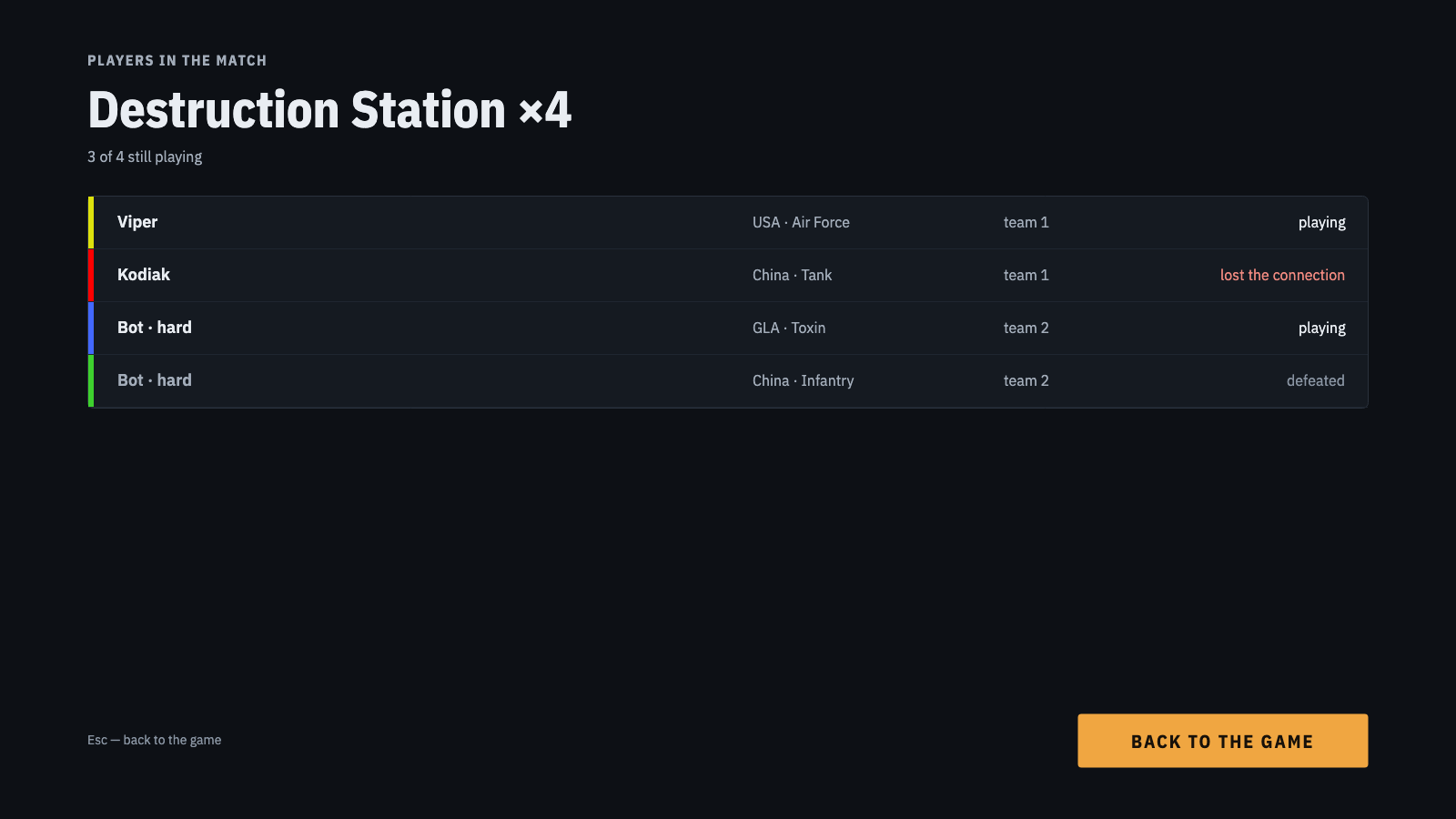
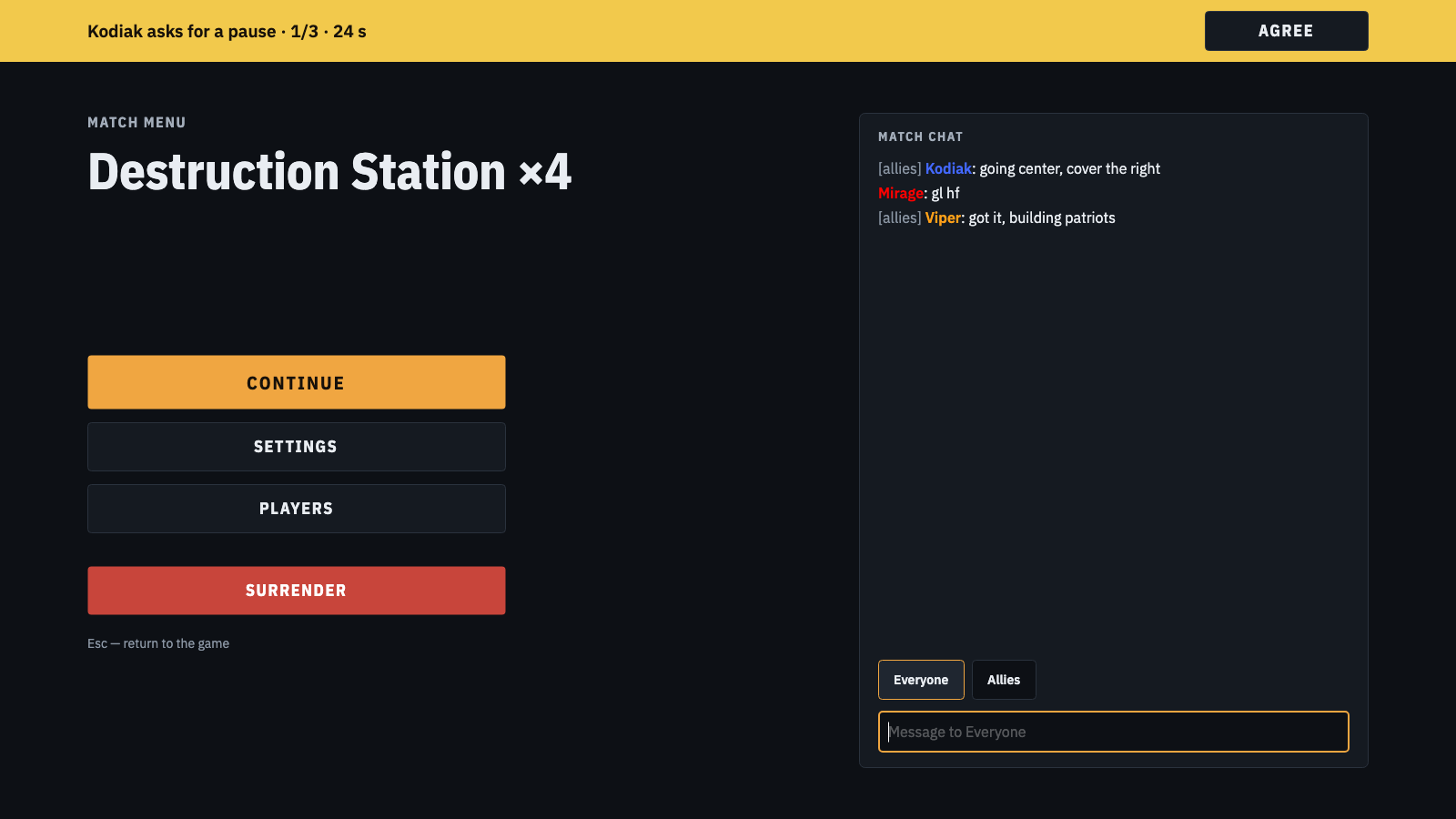
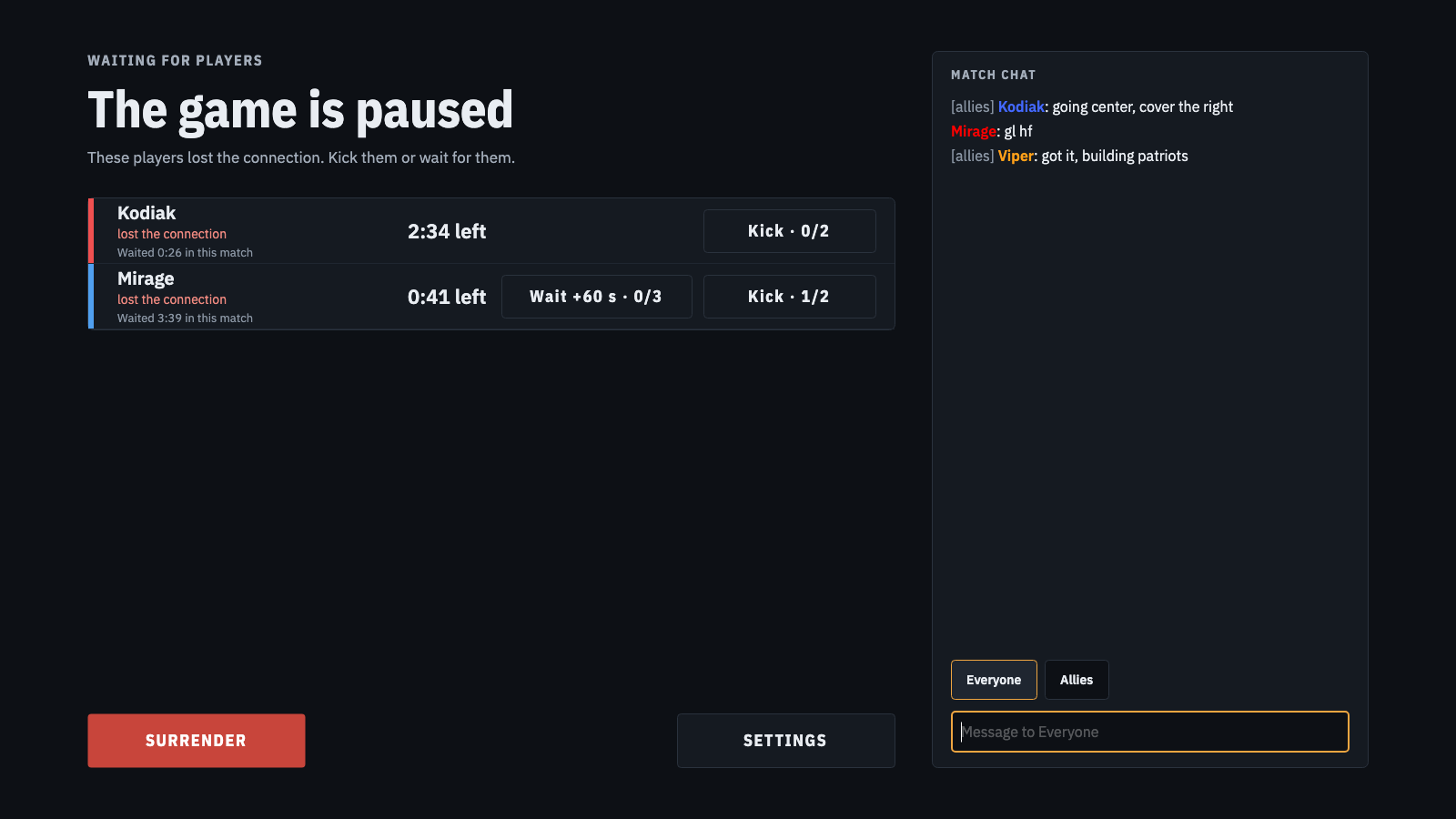
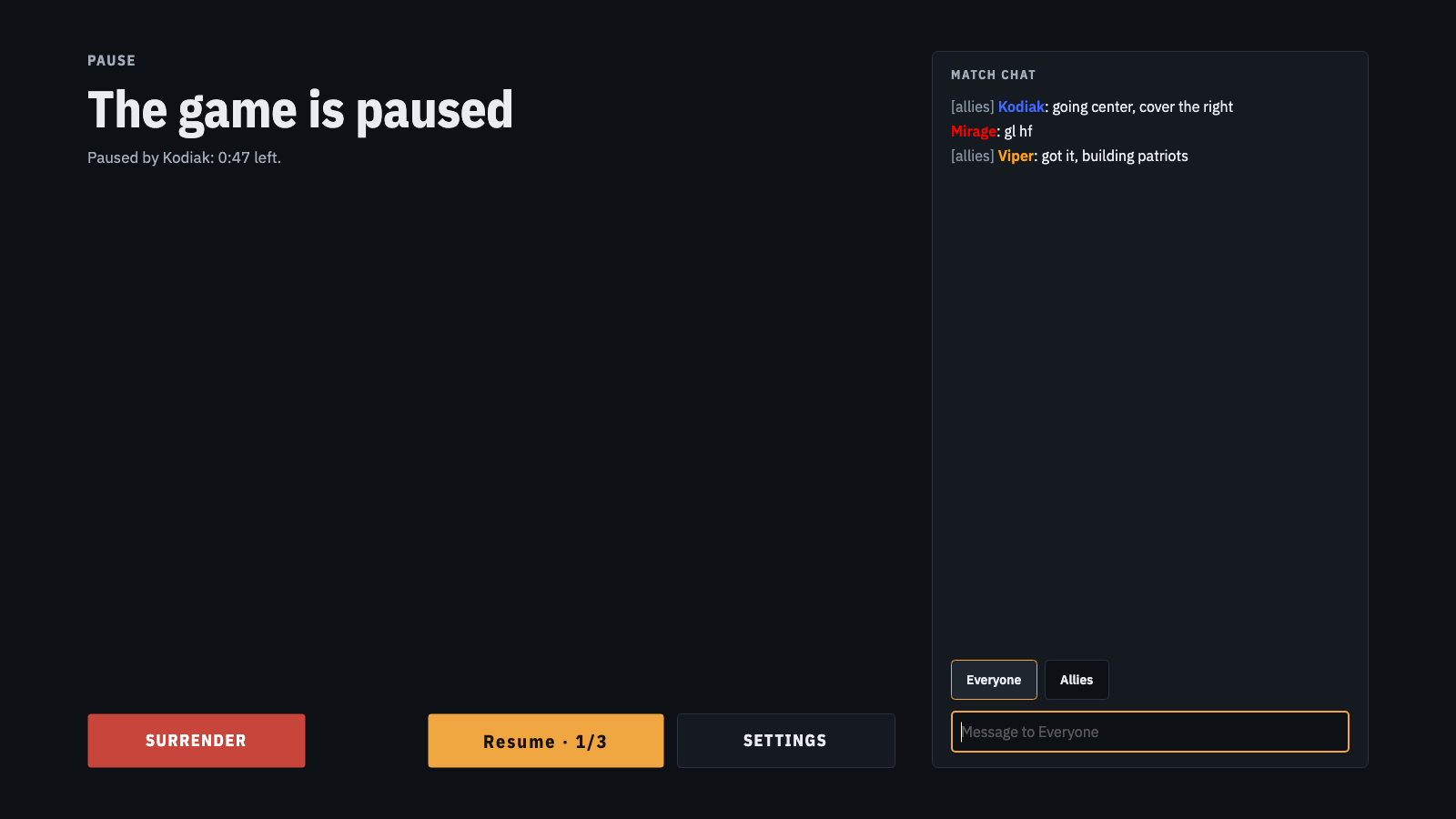
Lost the connection or the game crashed? The match pauses and waits for you, the other players can vote to give you more time, and Commanders Online brings you back into the same game.
60 Hz, and one lag does not slow everyone
The server runs the game at 60 frames a second, twice the original game, so units answer sooner. It keeps the pace for all: a slow connection troubles only its owner, not the whole match.
Your IP stays hidden
Everybody connects to commanders-online.net, never to each other: no ports to open, no router to set up, and no player sees another's address.
Up to 32 players
Big battles, bots that play on the server, spectators who watch with a delay, custom maps that download by themselves, and a rating.
Everything from the lobby to the last base
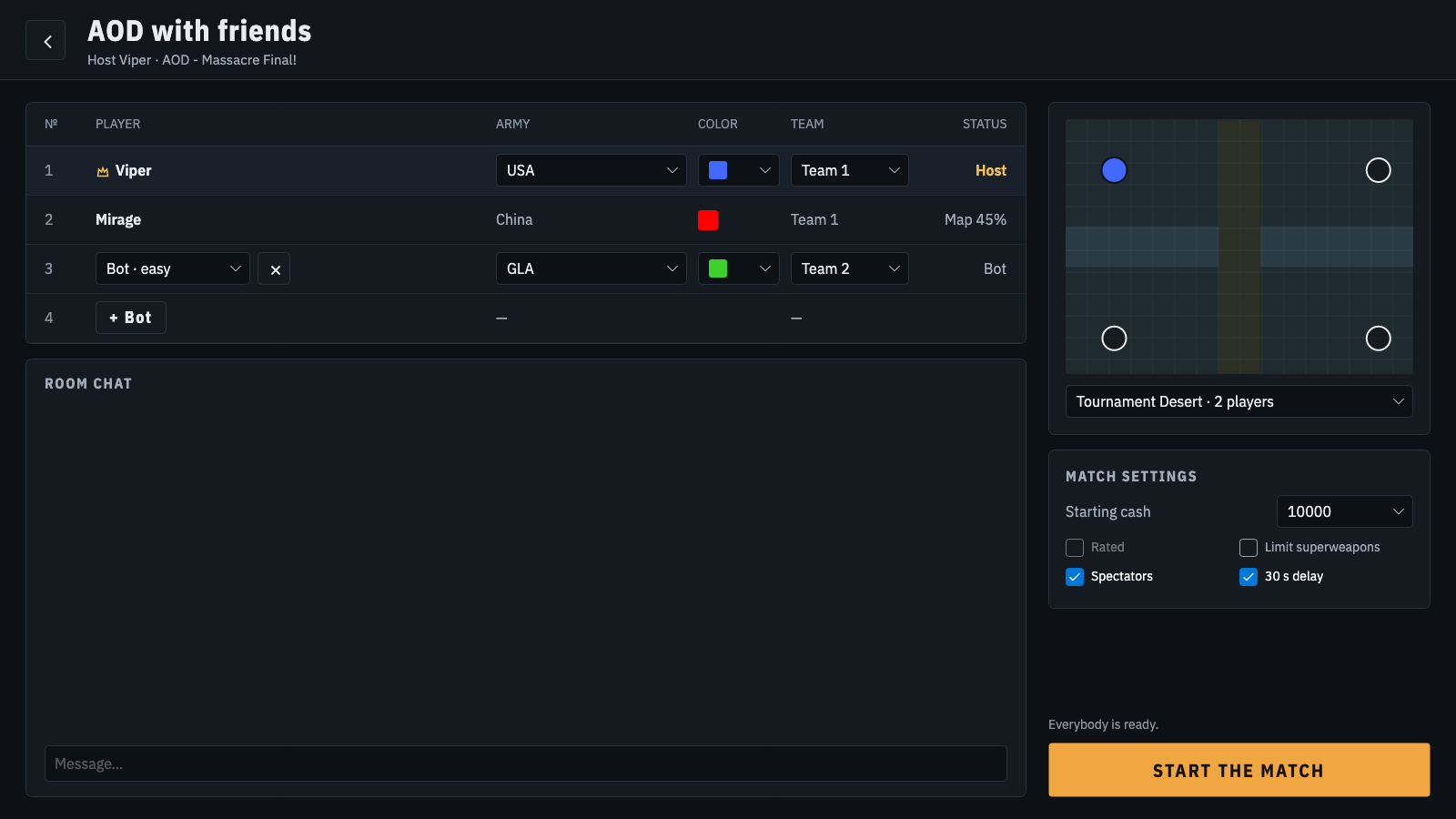
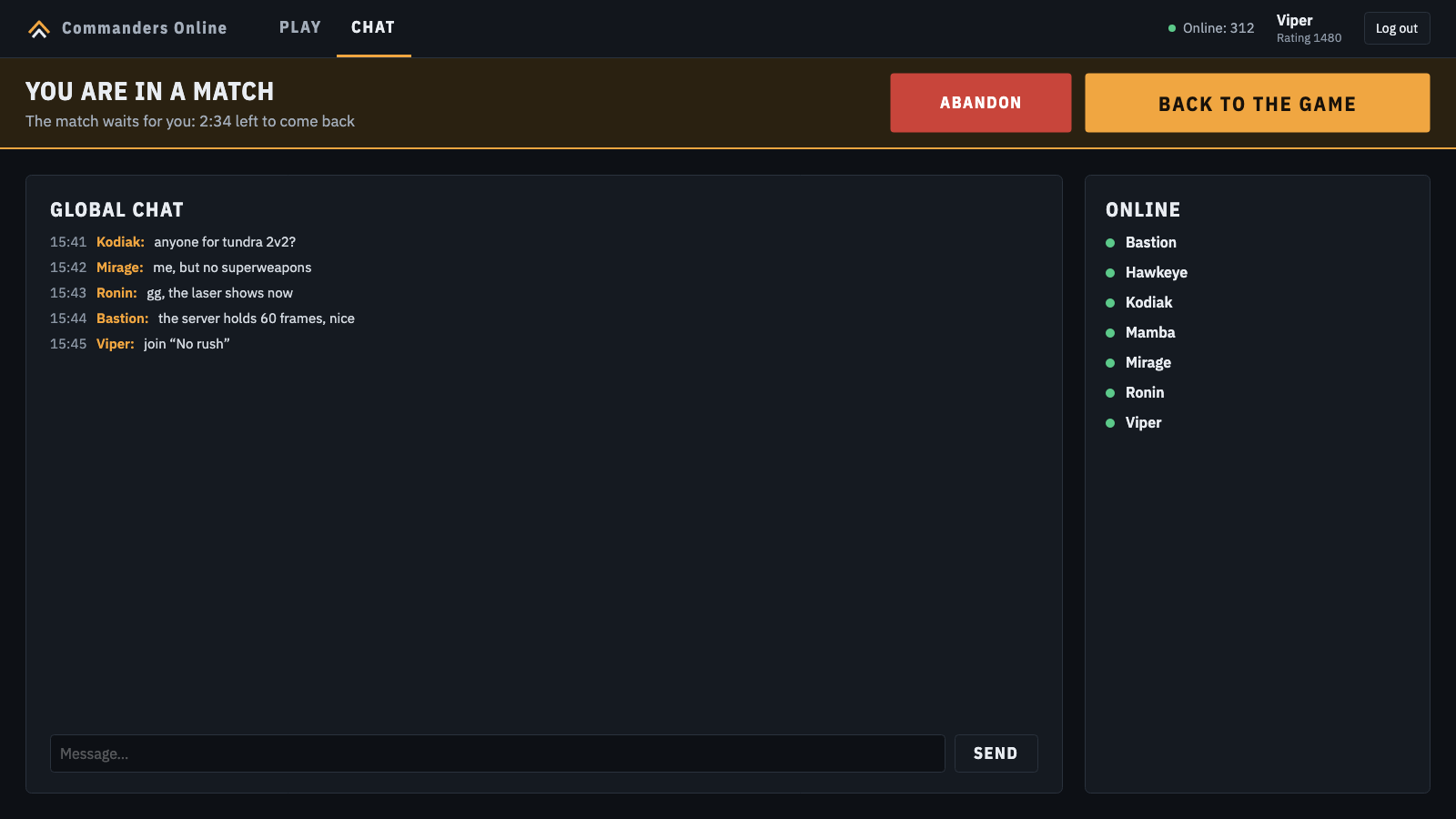
A lobby inside the game
- Opens in the window of Zero Hour: no launcher to switch to, the match loads in the same window.
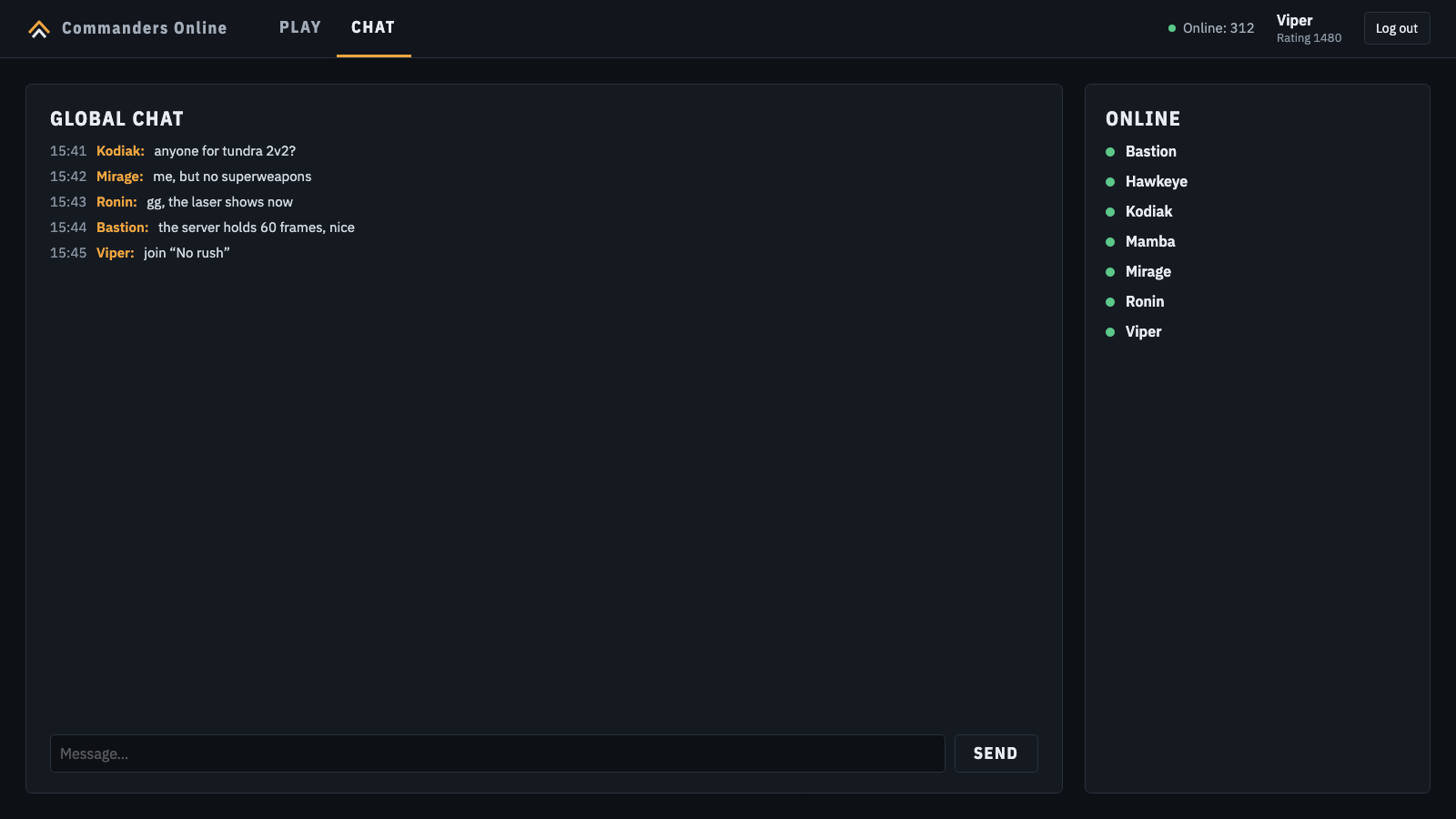
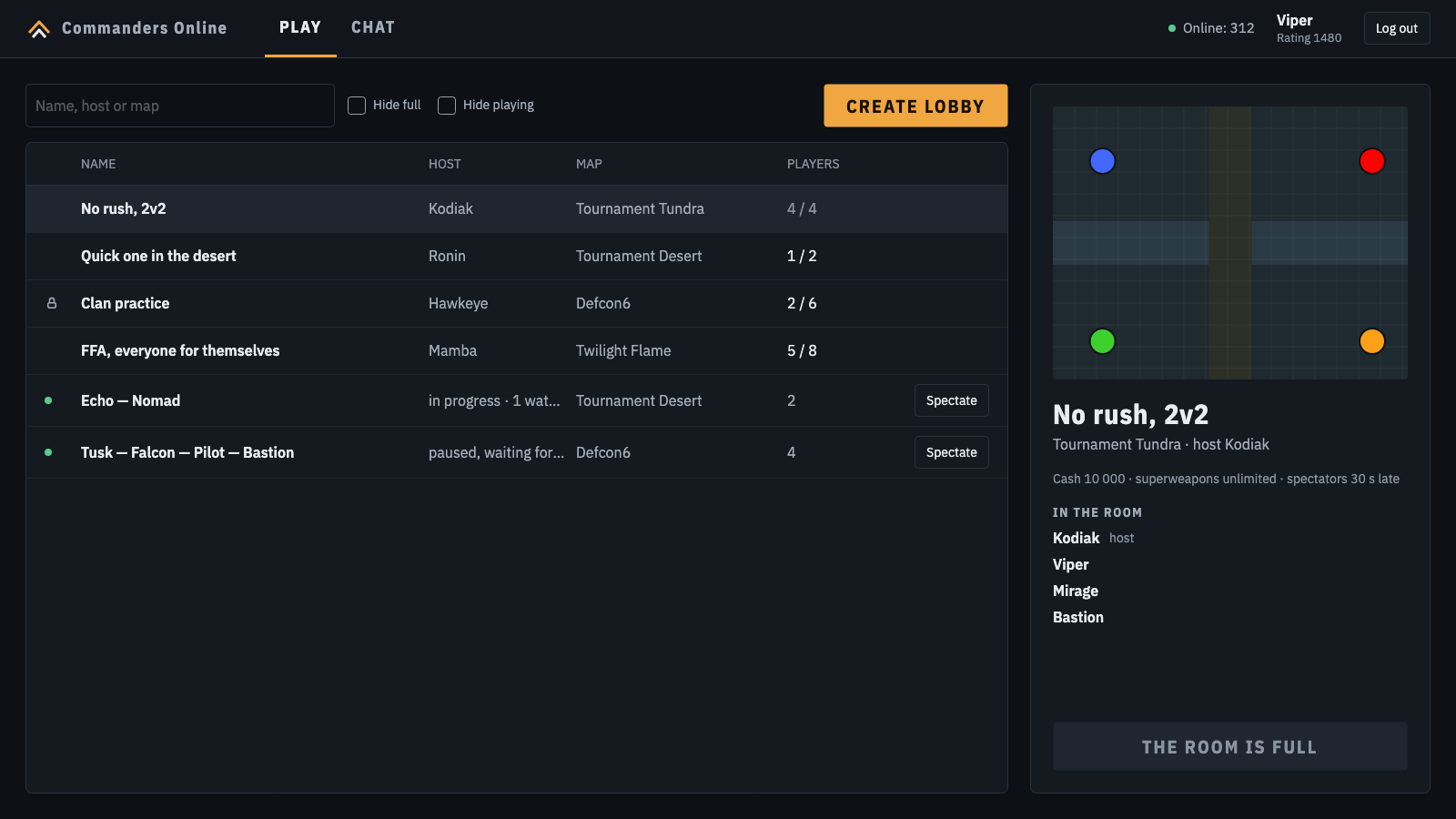
- Global chat, the players online, and every open room with its map, host and free places.
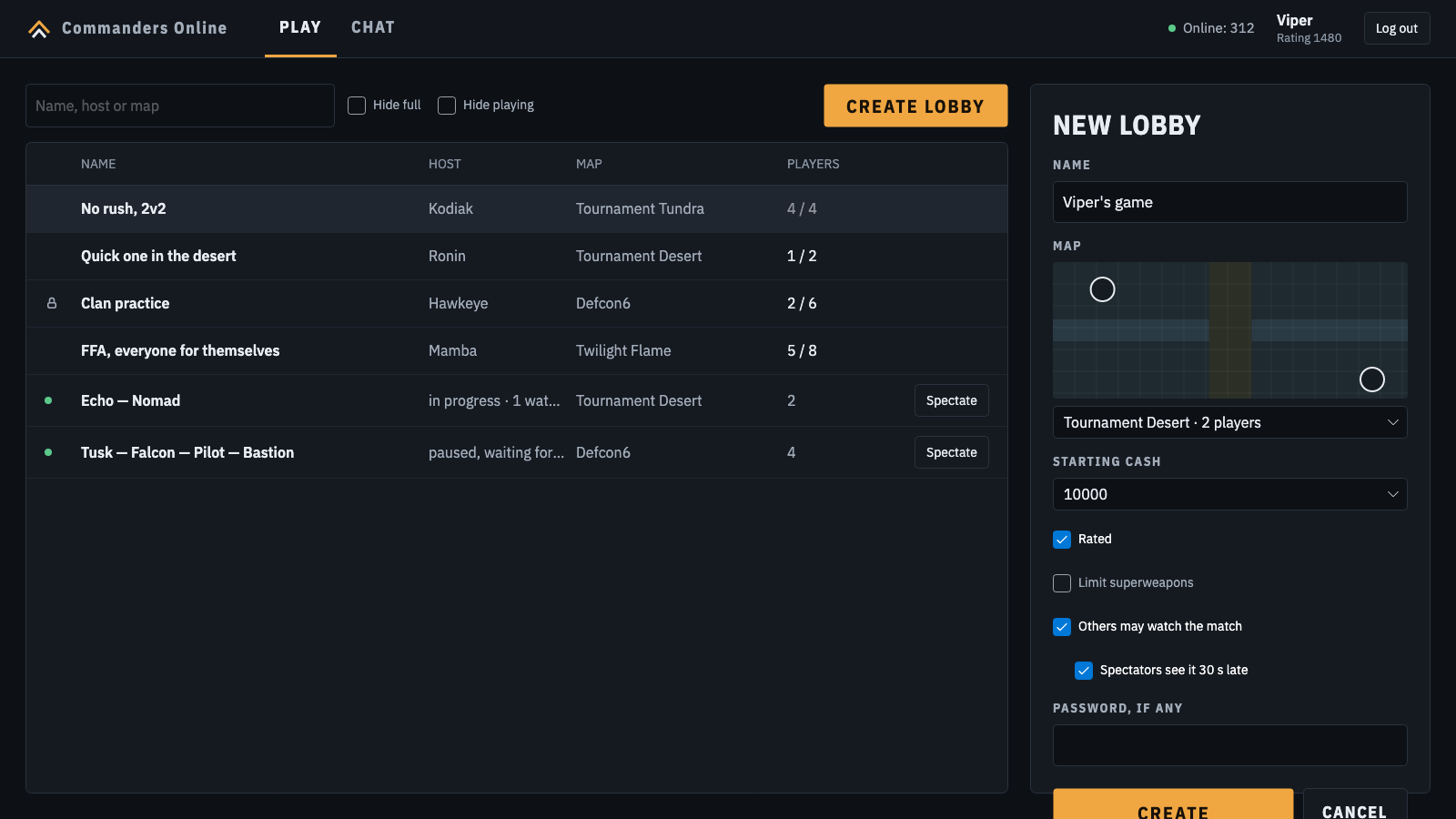
- Rooms with a password if you want one, starting cash and superweapon limits.
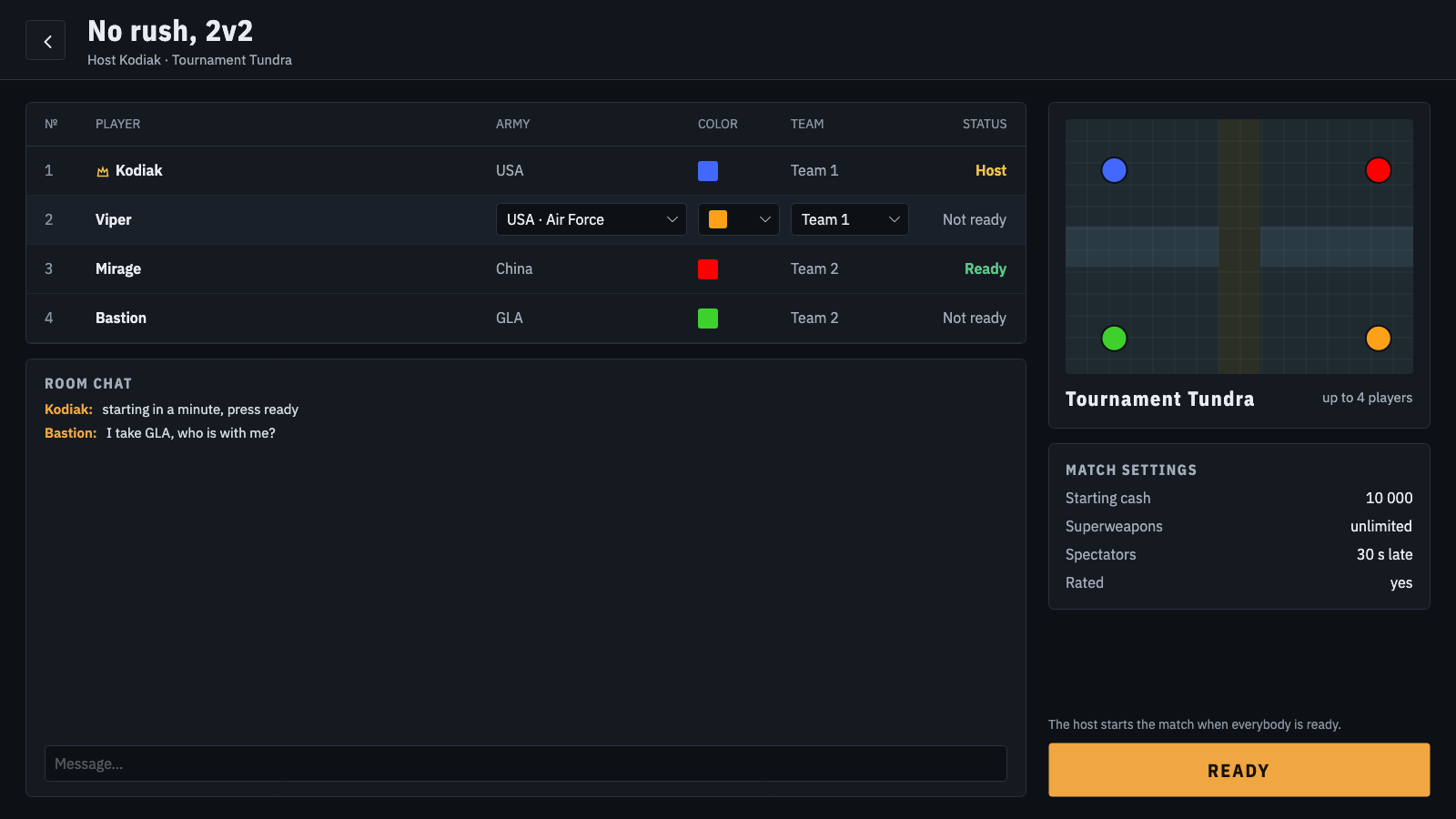
- The host changes the map right in the room; the map shows with its start positions, and you click one to take it.
Matches and bots
- From 1 vs 1 up to 32 players.
- Easy, medium and hard bots, which play on the server; set their army, color, team and start.
- All armies and generals of Zero Hour, teams of up to four, random starts or picked ones.
- In the match: the list of players, chat to all or to allies, and the settings, without leaving the game.
Maps
- Every map of Zero Hour, with its picture and its start positions.
- Community maps on the server, like the 25 Art of Defense maps of Twinsen's pack.
- A map you do not have downloads by itself when you pick it or join its room.
Spectators, rating and results
- Watch running matches: the whole map without fog of war, 30 seconds late so that nobody can help the players.
- Spectators chat among themselves, never with the players.
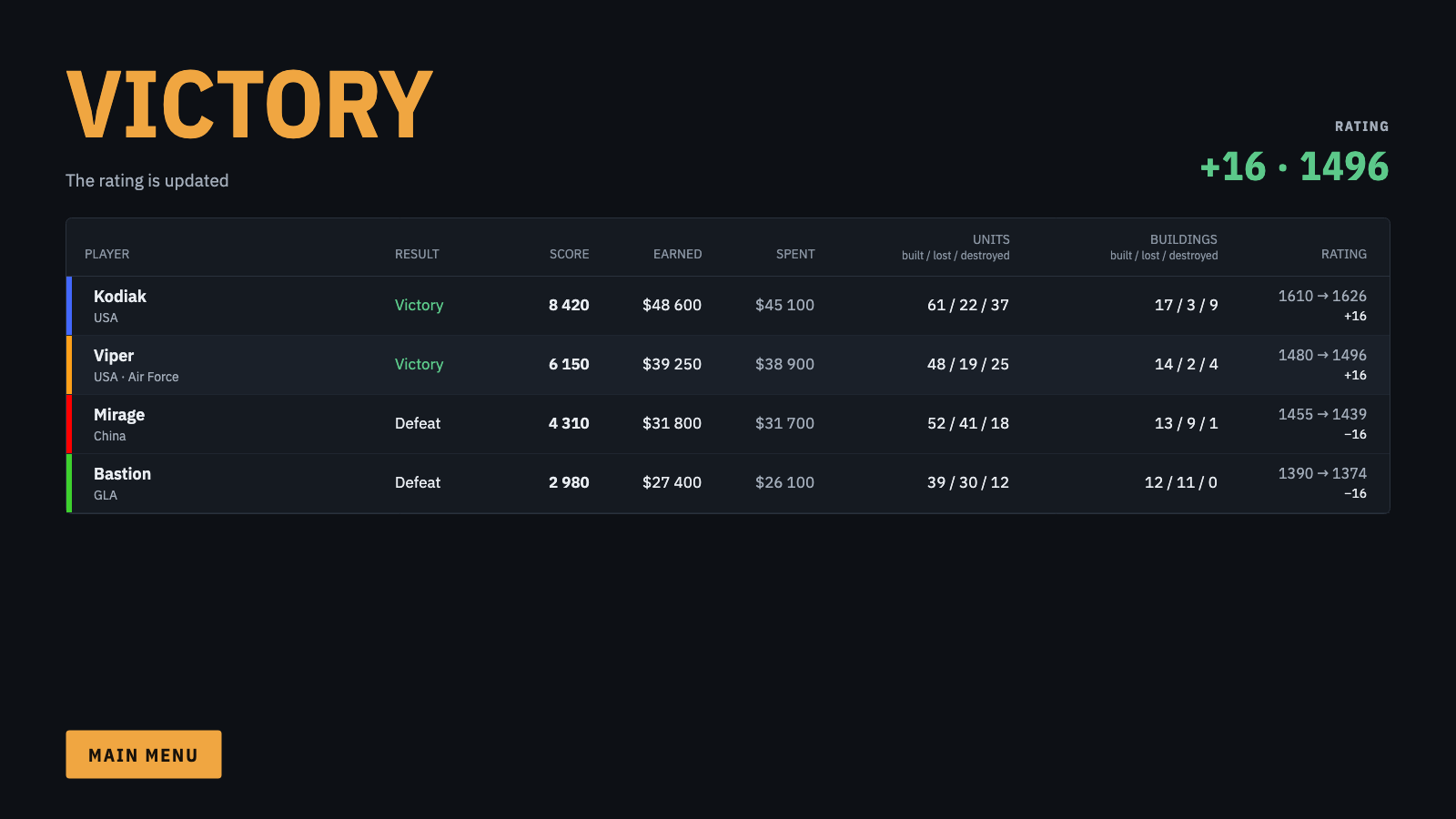
- A rating for every player, which goes up and down with games against people; games with bots leave it alone.
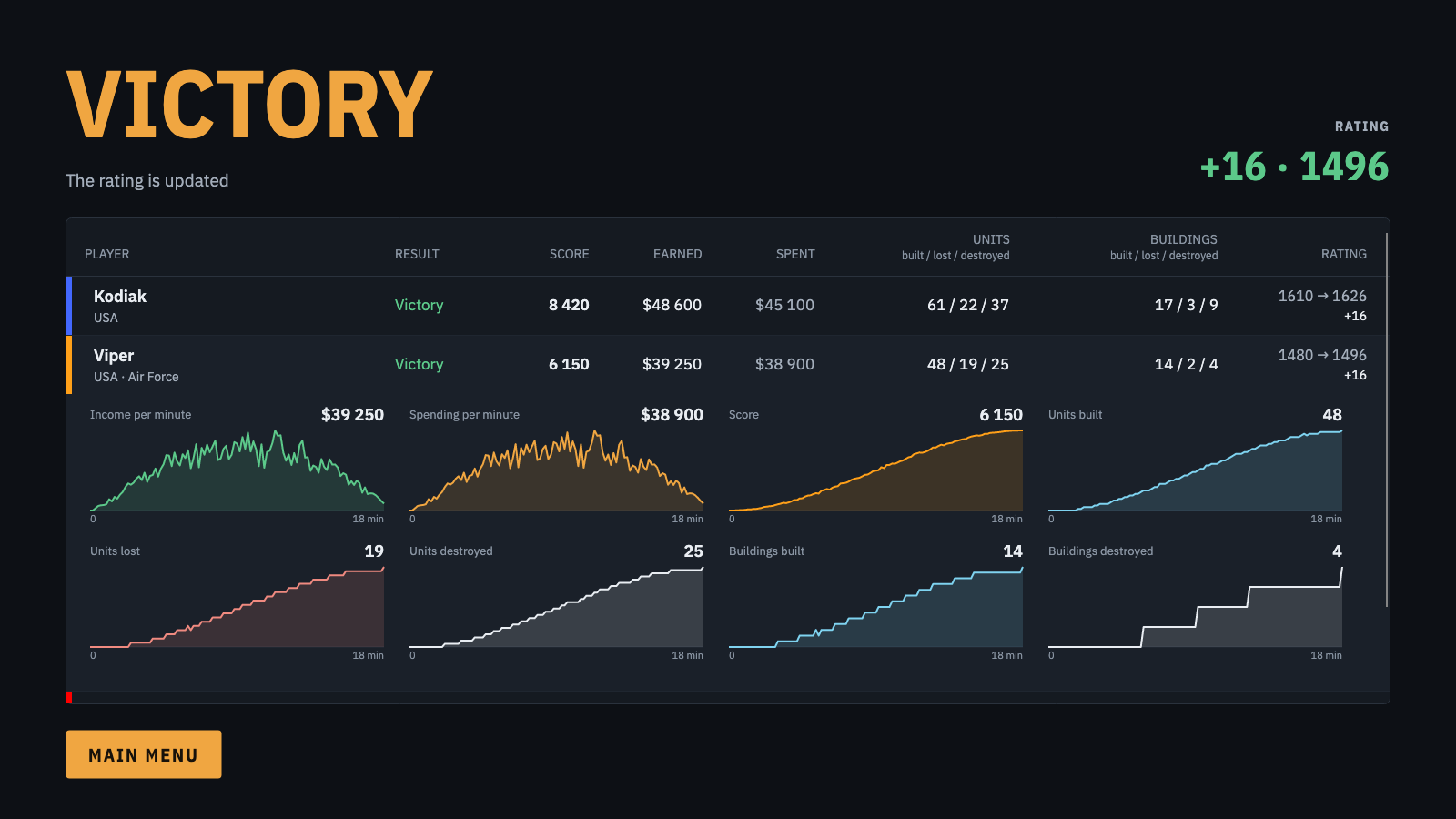
- The results of each match: score, money, units and buildings made, lost and destroyed.
How it looks
Game servers
The servers show by country only, never by name or address.
Download
Command & Conquer Generals Zero Hour 1.04 from Steam, the EA app, or a disc with patch 1.04.
Coming soonThe first build for everyone is on its way.
- Unpack the archive into the Zero Hour folder, next to
Generals.exeand the.bigfiles. In Steam: right-click the game, Manage, Browse local files. - Start
CommandersOnline.exe. If Windows warns about an unknown publisher, click More info, then Run anyway. - Register on the sign-in screen: Commanders Online has accounts of its own, not those of Steam or EA.
The original game stays as it is: Generals.exe still starts it, and Commanders Online keeps its options, replays and screenshots apart, in CommandersOnlineData.
Check that the game is Zero Hour 1.04 and starts on its own, and that the files of the archive are next to Generals.exe, not in a folder of their own. The first start may take a minute while the game loads.
Zero Hour from Steam runs under its Proton. From a disc or the EA app, the first start offers Proton, downloaded once, or the Wine of your system.
Coming soonThe first build for everyone is on its way.
- With Steam: start Zero Hour through Steam once, so that Steam makes its Proton prefix, and close it.
- Unpack the archive into the Zero Hour folder. In Steam: right-click the game, Manage, Browse local files. Or in a terminal:
unzip -o commanders-online-linux-*.zip -d ~/.local/share/Steam/steamapps/common/"Command & Conquer Generals - Zero Hour" - Start
CommandersOnline, the file without .exe: double-click it, or./CommandersOnlinein a terminal. The first start adds it to the menu of applications, where Steam finds it too, under Add a Non-Steam Game. - Register on the sign-in screen: Commanders Online has accounts of its own.
Close every running Zero Hour and start CommandersOnline again: a game that hangs on in the background keeps the next one from opening its window. With Steam, the game must have started once under Proton; Proton Experimental works best. Without Steam, ./CommandersOnline --choose-runner asks for Proton or Wine again.
Zero Hour is a Windows game: on a Mac it runs only through Wine or CrossOver, and Commanders Online has not been made and tested for them yet.
From the download to the battle
- InstallUnpack the archive for your system into the Zero Hour folder, as above.
- Sign upStart Commanders Online, pick a name and a password. It finds your game by itself.
- Find a roomJoin an open room, or make your own and wait for players. Add bots to fill the places.
- PlayPick your army and start, press ready, and the host starts the match for everybody.
FAQ
Does it change my game?
No. It adds its own files next to the game and keeps its options, replays and screenshots in a folder of its own, CommandersOnlineData. Generals.exe still starts the original game, with its own options.
Can I play with people on other online services?
No. A match of Commanders Online runs on its server, so everybody in it plays through Commanders Online.
How does the server stop cheats?
The server runs the battle and sends each player only what that player may see, so a map hack has nothing to show.
What happens when my connection drops or the game crashes?
The match pauses and waits for you, up to three minutes in all. The other players see who is gone and how long the game still waits; when a minute is left they can vote to wait another minute, as often as they like, or vote to go on without you. Start Commanders Online again and it puts you back into the same match.
What does Alpha mean?
It is the first public test. Things may break, ratings and accounts may be reset, and the servers may restart for updates. Every bug you report helps.
Is there a version for macOS?
Not yet. Zero Hour runs on a Mac only through Wine or CrossOver, and Commanders Online has not been made and tested for them.
Is it official?
No. It is an unofficial project of the community, not affiliated with Electronic Arts. It needs a copy of the game that you own.